AI Tool Adapters
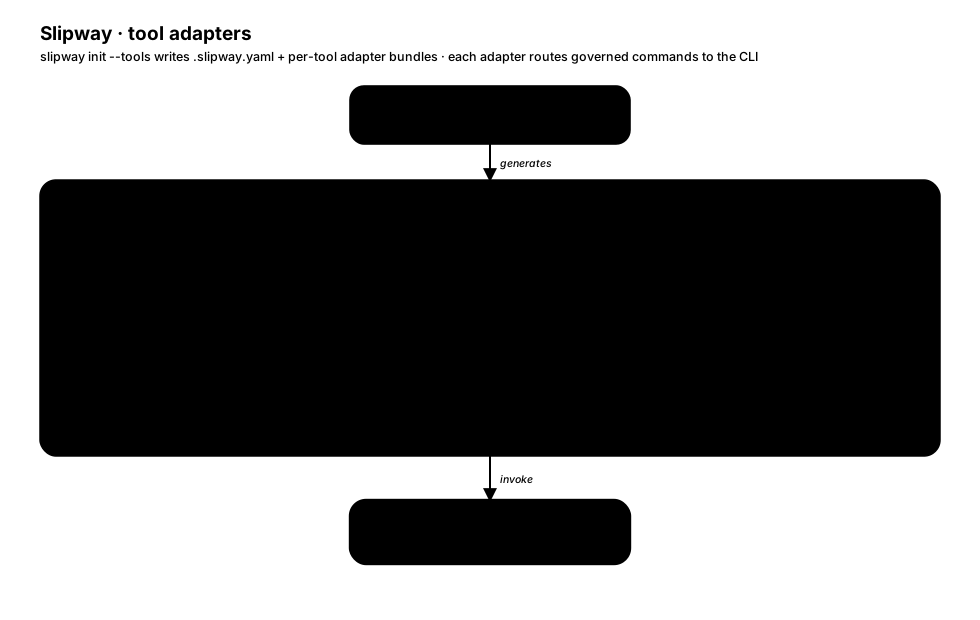
slipway init --tools exports host-tool files that let AI coding tools invoke Slipway commands and load governed skill instructions from the current project.
Supported Tools
Section titled “Supported Tools”| Tool ID | Skills path | Command path | Invocation style |
|---|---|---|---|
claude |
.claude/skills/slipway-*/SKILL.md |
.claude/commands/slipway/*.md |
/slipway:<command> |
codex |
.codex/skills/slipway-*/SKILL.md |
.codex/skills/slipway-*/SKILL.md |
$slipway-<command> (or /skills) |
copilot |
.github/skills/slipway-*/SKILL.md |
.github/prompts/slipway-<command>.prompt.md |
/slipway-<command> |
cursor |
.cursor/skills/slipway-*/SKILL.md |
.cursor/commands/*.md |
/slipway-<command> |
kilo |
.kilocode/skills/slipway-*/SKILL.md |
.kilocode/workflows/slipway-<command>.md |
/slipway:<command> |
kiro |
.kiro/skills/slipway-*/SKILL.md |
.kiro/skills/slipway-<command>/SKILL.md |
@slipway:<command> or host skill picker |
opencode |
.opencode/skills/slipway-*/SKILL.md |
.opencode/commands/slipway-*.md |
/slipway-<command> |
pi |
.pi/skills/slipway-*/SKILL.md |
.pi/prompts/slipway-<command>.md |
/slipway-<command> |
qwen |
.qwen/skills/slipway-*/SKILL.md |
.qwen/skills/slipway-<command>/SKILL.md |
/slipway-<command> or host skill picker |
windsurf |
.windsurf/skills/slipway-*/SKILL.md |
.windsurf/workflows/slipway-<command>.md |
/slipway-<command> |
Codex, Kiro, and Qwen commands are generated as discoverable per-command
skills under each adapter’s skills directory. Prompt-backed and workflow-backed
hosts generate command files instead. All generated command surfaces call the
slipway CLI; host files do not implement separate lifecycle, review, or
evidence behavior. Slipway no longer writes global Codex prompt files, and
Codex refresh does not prune host-global prompt directories. Prompt-backed
project adapters still remove Slipway-owned retired prompt files during
refresh.
Generate Adapters
Section titled “Generate Adapters”slipway init --tools claudeslipway init --tools codex,opencodeslipway init --tools allslipway init --tools none # initialize runtime layout only, no adapter filesRefresh managed files and prune Slipway-owned retired adapter artifacts:
slipway init --tools all --refreshRefresh auto-detected managed adapters:
slipway init --refreshSlipway detects adapters by its generated sentinel, not by a bare .claude,
.codex, .cursor, .opencode, .pi, .qwen, .kiro,
.windsurf, or .kilocode directory alone. The ownership manifest protects
generated files during refresh; sentinel-only legacy adapters can be
bootstrapped into manifest tracking, while missing-sentinel path collisions stay
fail-closed unless the existing content already matches the generated output.
Copilot keeps that managed state under .github/copilot/slipway instead of
treating the shared .github tree as adapter-owned. Refresh removes
Slipway-owned legacy shell hook launchers and retired bash "<hook>.sh" hook
settings entries while preserving user-owned hooks, prompts, workflows, and
skills beside generated files.
Generated Command Surface
Section titled “Generated Command Surface”Commands that opt into generated host prompts ship a command surface on every tool:
- Prompt and workflow files on Claude, Copilot, Cursor, Kilo, OpenCode, Pi, and Windsurf.
- Per-command skills on Codex, Kiro, and Qwen.
CLI-only helper namespaces such as slipway tool stay public in the Slipway
binary but do not generate host command wrappers; generated skills invoke
slipway tool ... subcommands directly.
Generated hooks are dependency-free beyond the slipway binary. Manual helper
commands may use explicit authenticated backends or domain tools: GitHub helpers
prefer gh, fall back to token API when gh is unavailable or reports an
auth-required error, and fail closed when neither backend exists.
Core lifecycle commands:
new($slipway-new)intake($slipway-intake)plan($slipway-plan)implement($slipway-implement)review($slipway-review)fix($slipway-fix)done($slipway-done)next($slipway-next)run($slipway-run)status($slipway-status)
Discovery commands:
codebase-map($slipway-codebase-map)
Situational commands:
preset($slipway-preset)validate($slipway-validate)abort($slipway-abort)cancel($slipway-cancel)delete($slipway-delete)repair($slipway-repair)evidence($slipway-evidence; the wave-orchestration host records task evidence viaslipway evidence task ...)
Helpers:
toolis CLI-only. There is no$slipway-toolor generated host prompt wrapper; generated skills callslipway tool <helper>directly.
Diagnostics commands:
health($slipway-health)instructions($slipway-instructions)
Setup commands:
init($slipway-init)
The workflow skill’s command reference indexes the generated command surfaces.
For CLI-only helpers, use the explicit slipway tool ... commands named by the
generated skill instructions.
Surface Manifest
Section titled “Surface Manifest”docs/SURFACE-MANIFEST.json is the committed inventory for generated adapter,
command, skill, JSON, and documentation surfaces. It is regenerated from
Slipway-owned Go authorities, not hand-edited:
go run ./internal/toolgen/cmd/gen-surface-manifest --writego run ./internal/toolgen/cmd/gen-surface-manifest --checkRun --write after adding a generated tool, command, skill, JSON contract, or
documentation surface, then keep the matching documentation token in the file
named by the manifest row.
OpenCode Notes
Section titled “OpenCode Notes”OpenCode stores project commands as Markdown files under .opencode/commands/. Slipway generates flat OpenCode command files under:
.opencode/commands/The command file name becomes the OpenCode command ID. For example:
.opencode/commands/slipway-new.mdis invoked as:
/slipway-newSome OpenCode builds display project commands with a project prefix in the command picker. The generated file path remains the stable Slipway contract.
Generated OpenCode skills live under:
.opencode/skills/and, because OpenCode has no settings.json, the advisory session hook is
generated as platform-native launcher files:
.opencode/hooks/slipway-session-start.opencode/hooks/slipway-session-start.ps1.opencode/hooks/slipway-session-start.cmdCursor follows the same pattern, shipping
.cursor/hooks/slipway-session-start plus the .ps1 and .cmd companions.
These launchers only delegate to slipway hook ...; hook behavior lives in the
Slipway binary.
Additional Adapter Notes
Section titled “Additional Adapter Notes”Copilot stores command prompts in .github/prompts/ with the
.prompt.md extension and generated skills in .github/skills/. Its sentinel
and ownership manifest live under .github/copilot/slipway.
Pi stores command prompts in .pi/prompts/ and generated skills in
.pi/skills/. Slipway also merges .pi/settings.json so enableSkillCommands
is true, ./skills is listed in skills, and ./prompts is listed in
prompts. Slipway additionally generates .pi/extensions/slipway-hooks.ts,
which bridges the session-start hook into pi’s session_start /
before_agent_start extension events (pi auto-discovers .pi/extensions/, so
no settings.json registration is needed). pi only loads project-local extensions
after the project is trusted, so the bridge stays inert until you trust the
project in pi.
Qwen and Kiro expose commands as generated command skills rather than separate
prompt files. Qwen writes .qwen/settings.json for the session-start hook.
Kiro command skills use @slipway:<command>.
Windsurf and Kilo expose commands as workflow files under
.windsurf/workflows/ and .kilocode/workflows/. Kilo uses the
/slipway:<command> trigger even though its workflow files are named
slipway-<command>.md.
Settings-Capable Hosts
Section titled “Settings-Capable Hosts”Claude (.claude/settings.json) and Qwen (.qwen/settings.json) register hooks
inline in their own settings file rather than through launcher scripts. Slipway
writes bare slipway hook ... commands directly into settings.json:
slipway hook session-startonSessionStart
Claude and Qwen register the SessionStart hook only. No
launcher file is generated for these settings-registered hooks; the command
resolves the slipway binary on PATH and hook behavior lives in that binary.
Pi’s settings.json is registration-only for skills and prompts; its
session-start hook is bridged through the generated .pi/extensions/ module
instead.
Safety Rules
Section titled “Safety Rules”- Do not edit generated Slipway adapter files unless you are intentionally customizing local host behavior.
- Use
slipway init --refreshto update generated files and prune Slipway-owned retired adapter entries after Slipway changes. - Preserve user-owned files in adjacent AI-tool directories.
- Commit
.slipway.yamlwhen the repository should be initialized for all contributors; review generated adapter files according to the repository’s policy before committing them.